Brazil
 Latin
America
Latin
America USA &
Canada
USA &
Canada Australia
 China
China India
India Indonesia
 Japan
Japan Korea
Korea Taiwan
 Vietnam
 Austria
 France
 Germany
 Italy
Italy Netherlands
 Other
Europe
Other
Europe Poland
 Russia & CIS
 Spain
Spain Switzerland
 United Kingdom
 Saudi Arabia
  Turkey
 Israel
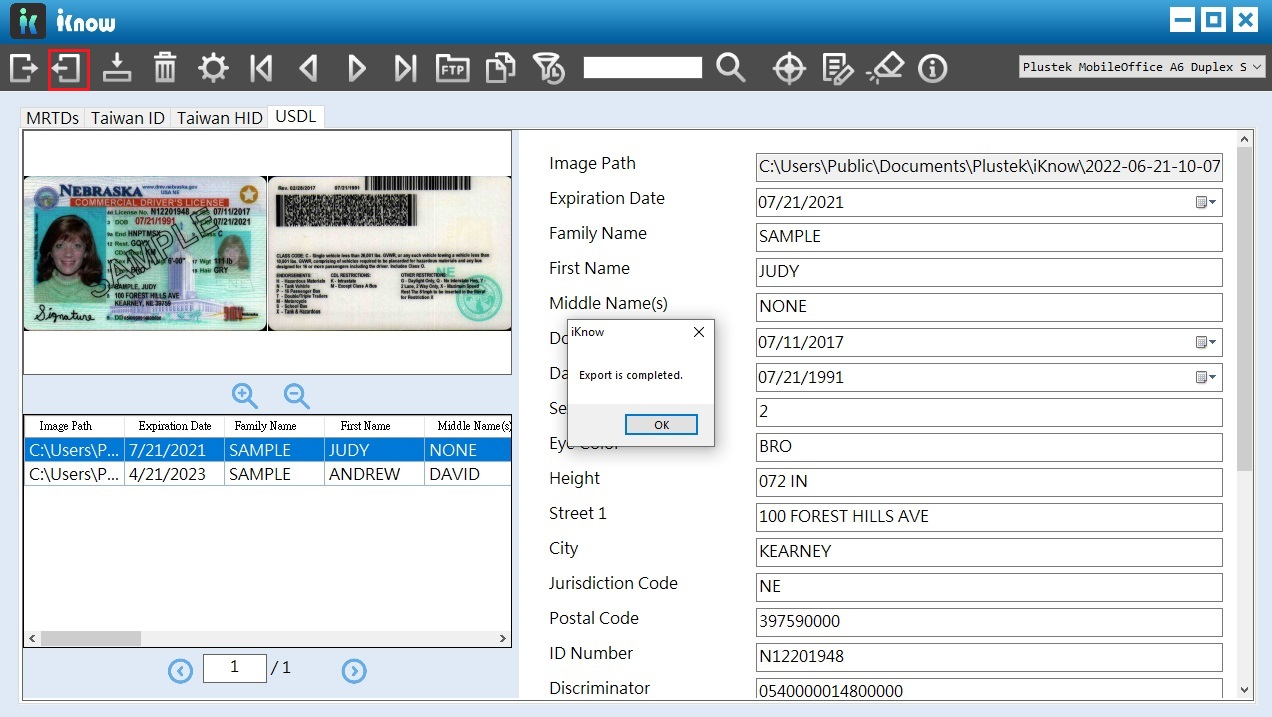
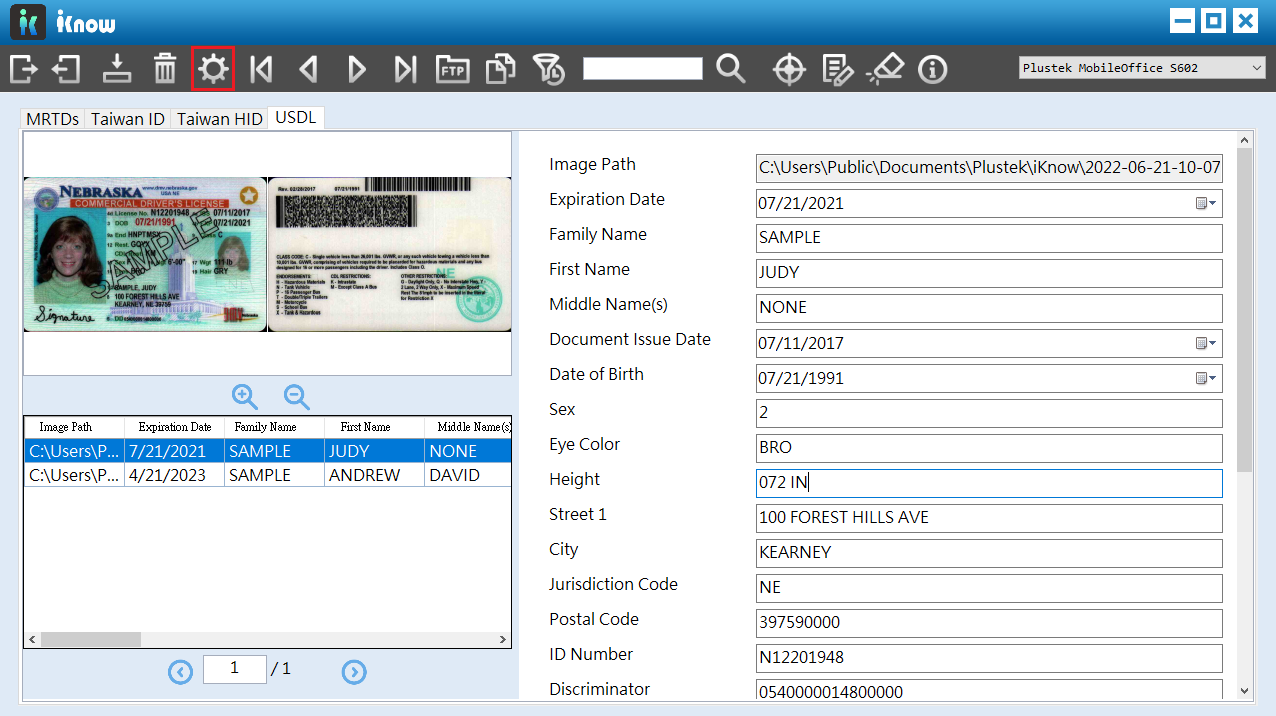
1.Click "setting" icon on the tool bar.
 Click to enlarge image
×
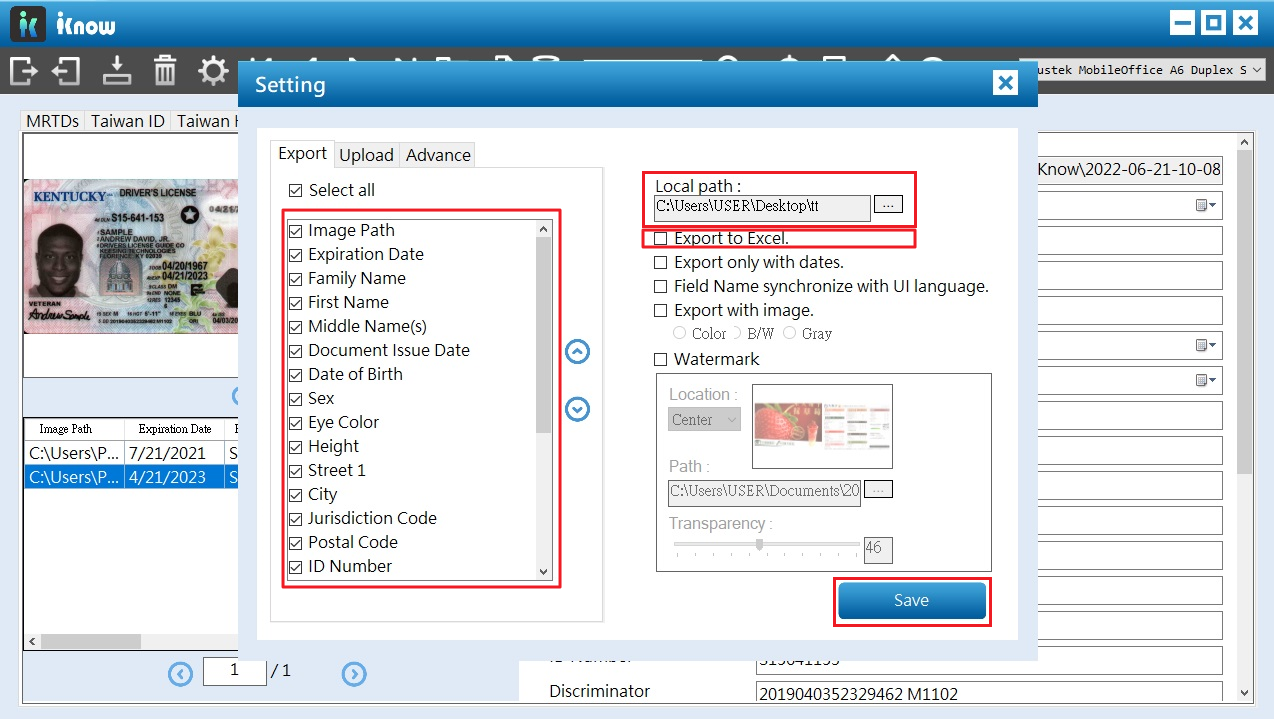
2.You can setup your export preference here. select the desired fields under "Export", set the saving folder and select "Export to Excel". Then click "Save" to apply settings.
 Click to enlarge image
×