
 Brazil
 Latin
America
Latin
America USA &
Canada
USA &
Canada Australia
 China
China India
India Indonesia
 Japan
Japan Korea
Korea Taiwan
 Vietnam
 Austria
 France
 Germany
 Italy
Italy Netherlands
 Other
Europe
Other
Europe Poland
 Russia & CIS
 Spain
Spain Switzerland
 United Kingdom
 Saudi Arabia
  Turkey
 Israel
 Click to enlarge image
×
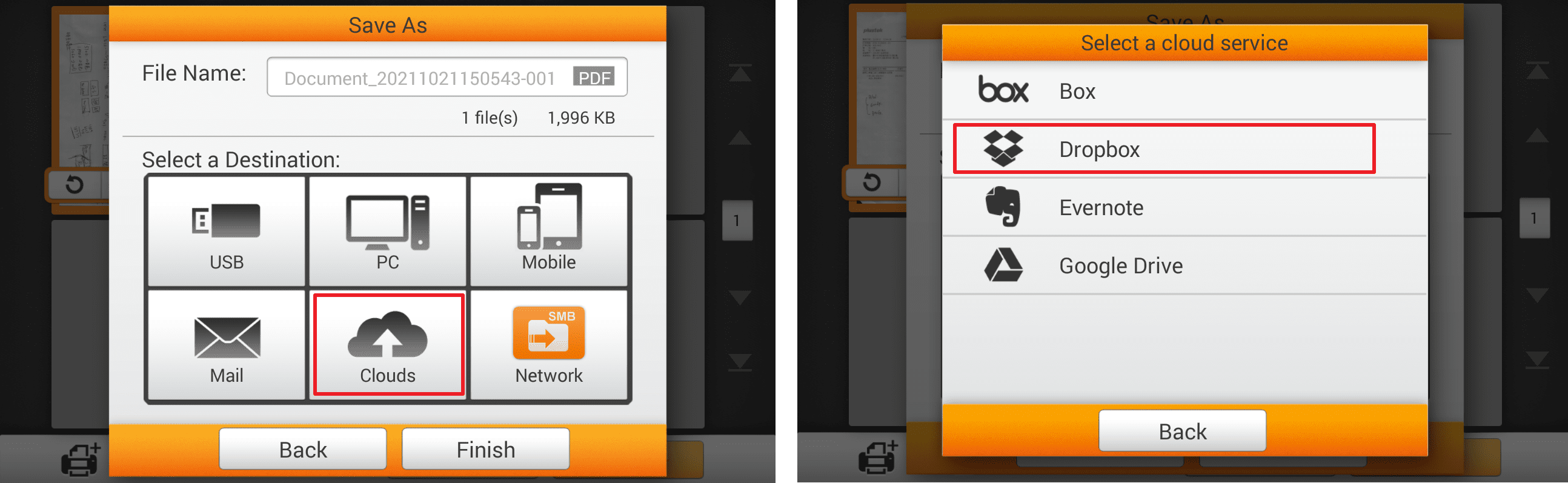
1. After scanning, tap "Cloud" button and select "Dropbox.
Click to enlarge image
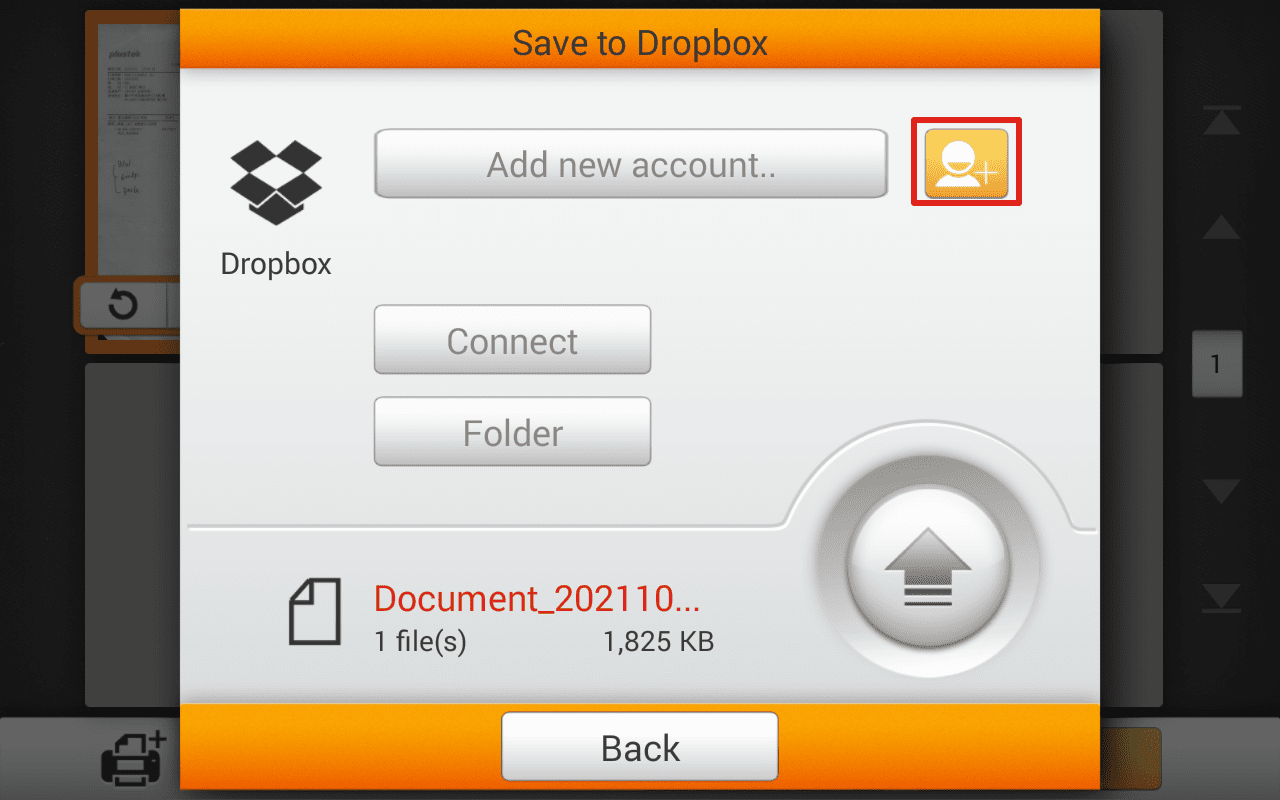
2. If you've already logged in before, you can select your account here, or you can press  to add account.
 Click to enlarge image
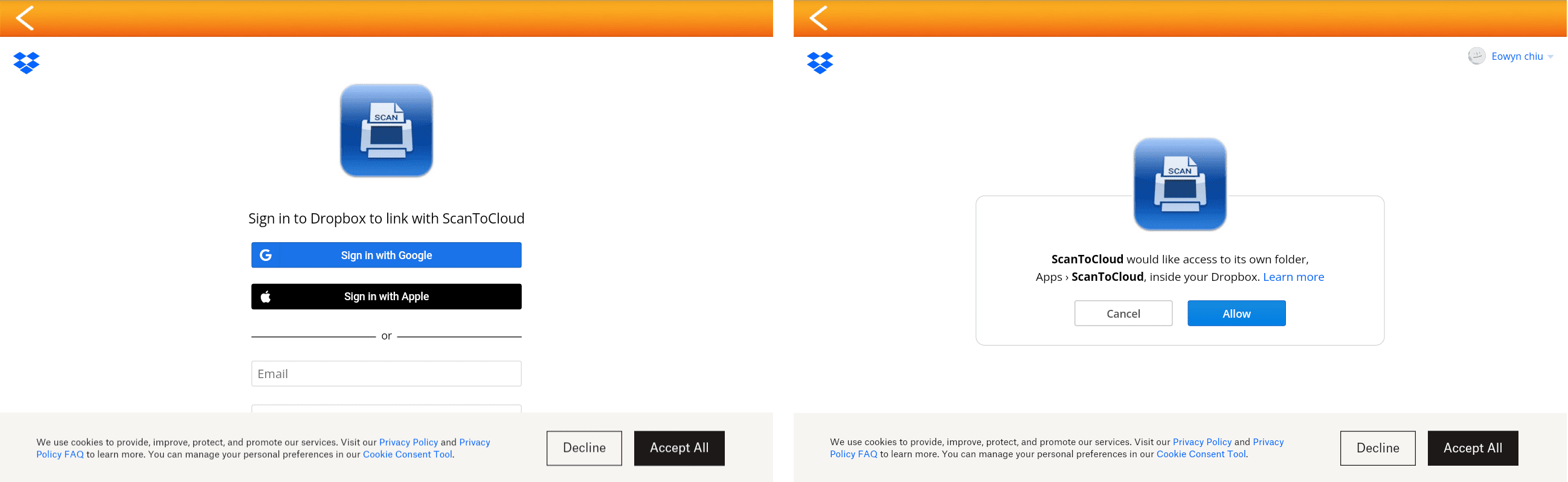
3. Sign in your account and authorize network scanner.
 Click to enlarge image
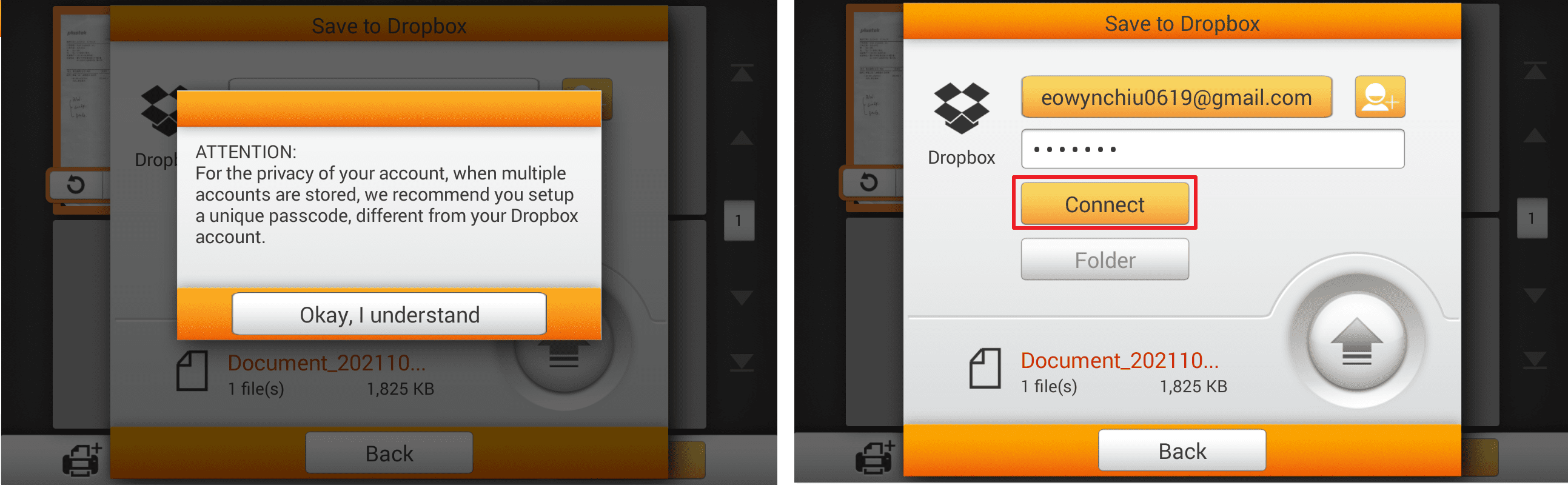
4. We highly recomend you to add password for cloud account if there's more than one account stored. Press "OK, I understand" then add password to the account. Type in your password if you've added one, then tap "Connect".
 Click to enlarge image
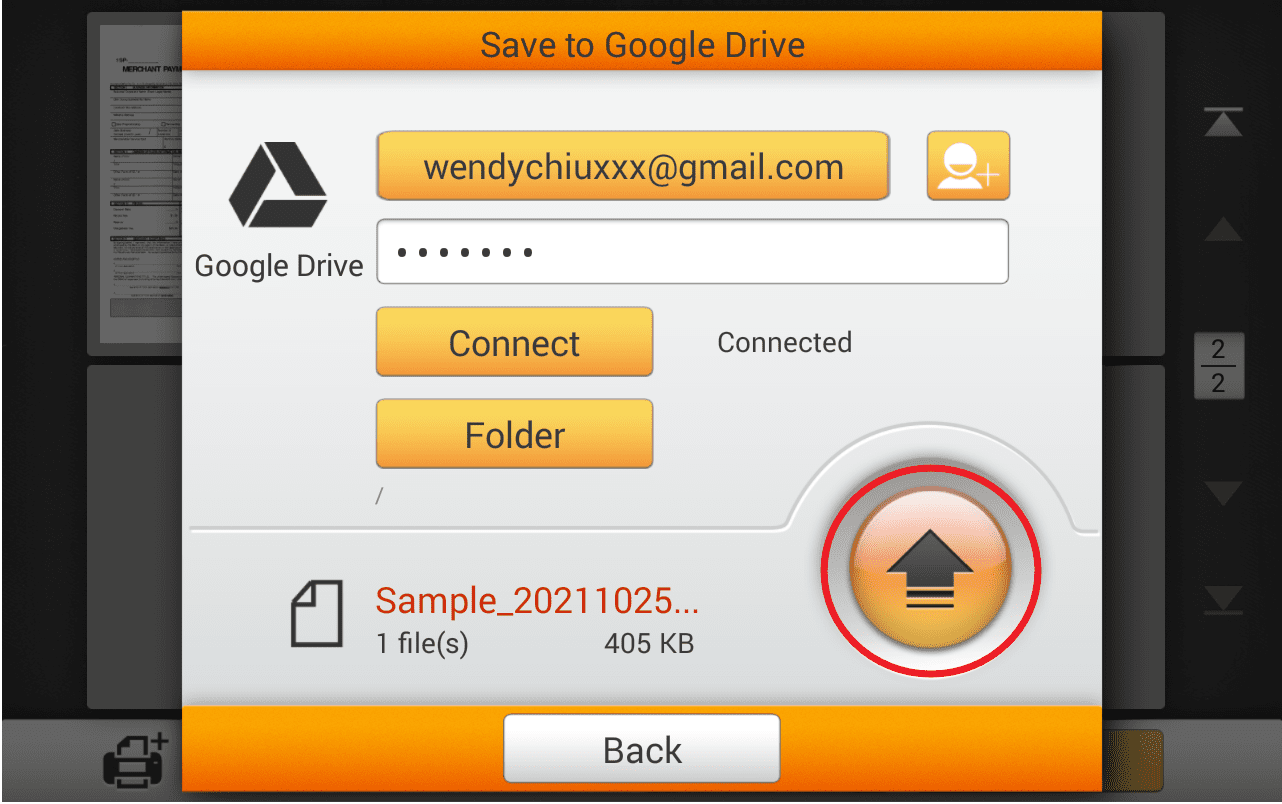
5. Once the account is connected, you are free to upload scanned document by tap  button.
 Click to enlarge image
