
 Brazil
 Latin
America
Latin
America USA &
Canada
USA &
Canada Australia
 China
China India
India Indonesia
 Japan
Japan Korea
Korea Taiwan
 Vietnam
 Austria
 France
 Germany
 Italy
Italy Netherlands
 Other
Europe
Other
Europe Poland
 Russia & CIS
 Spain
Spain Switzerland
 United Kingdom
 Saudi Arabia
  Turkey
 Israel
 Click to enlarge image
×
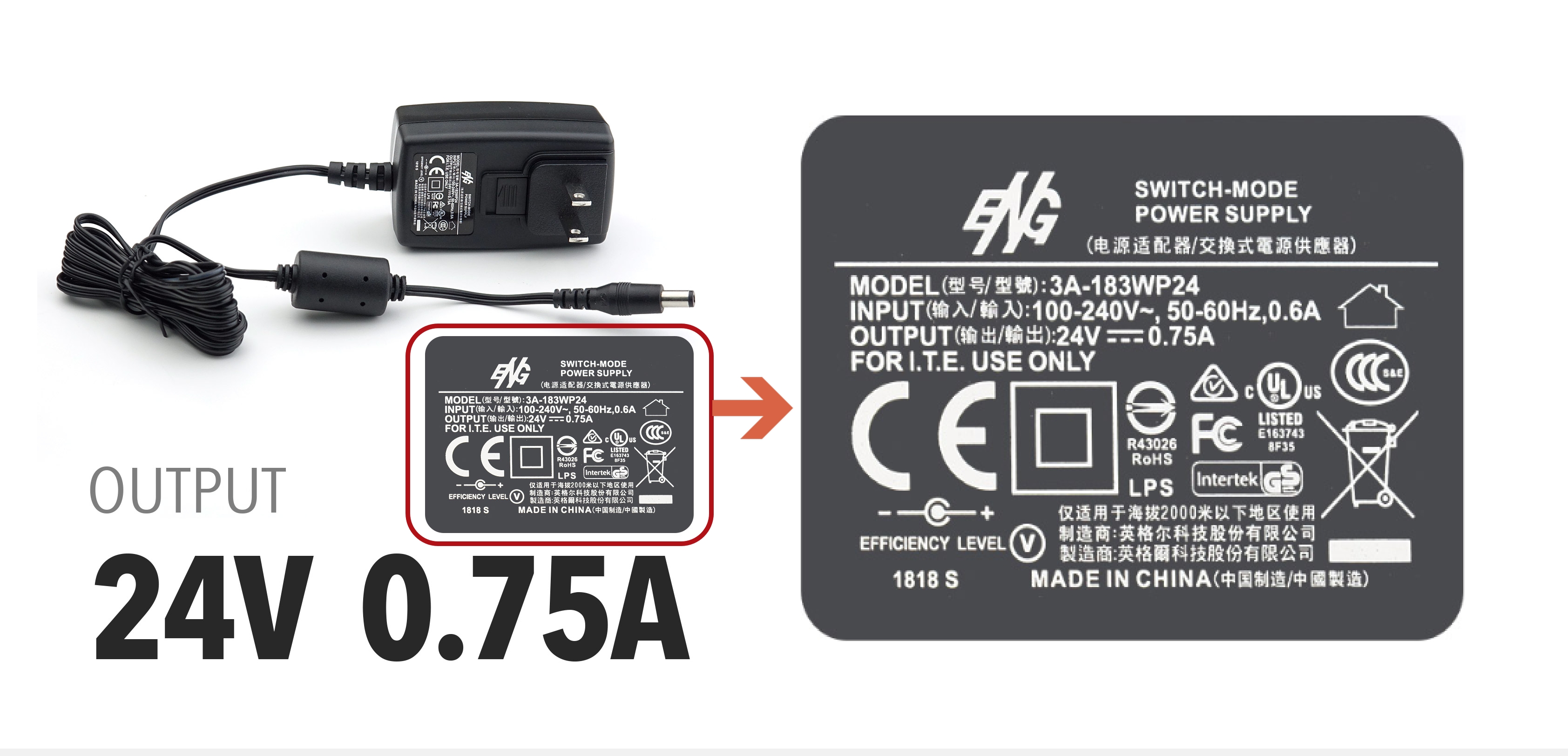
1. The Z300 supports the adapter with 24V(output). Please check the black brick and make sure the output is 24V.
Click to enlarge image
2. If you use the official adapter and the problem still occurs, please try to insert a white paper into the feeder and look from the top, to check if the LED light of the scanner is operative. Once the light can’t turn on, please contact Plustek Technical Support for further assistance.
