
 Brazil
 Latin
America
Latin
America USA &
Canada
USA &
Canada Australia
 China
China India
India Indonesia
 Japan
Japan Korea
Korea Taiwan
 Vietnam
 Austria
 France
 Germany
 Italy
Italy Netherlands
 Other
Europe
Other
Europe Poland
 Russia & CIS
 Spain
Spain Switzerland
 United Kingdom
 Saudi Arabia
  Turkey
 Israel
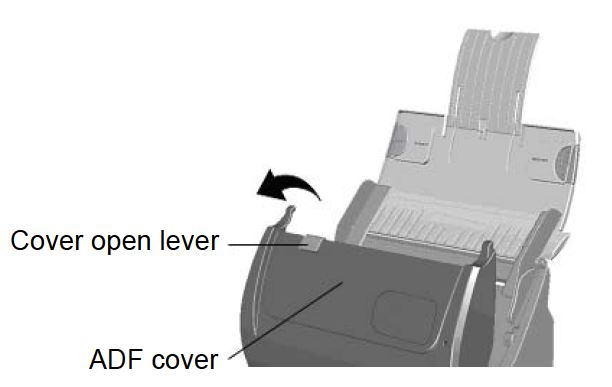
1. Open the ADF cover by pulling the cover open lever.
 Click to enlarge image
×
1. Open the ADF cover by pulling the cover open lever.
Click to enlarge image
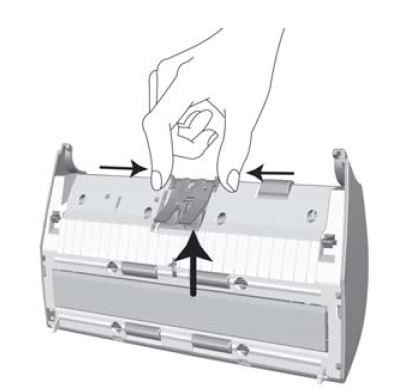
2. Remove the pad module by pinching both sides of the pad module and pull it out.
 Click to enlarge image
3. Close the ADF cover by pushing it back down until it snaps back into place.
