
 Brazil
 Latin
America
Latin
America USA &
Canada
USA &
Canada Australia
 China
China India
India Indonesia
 Japan
Japan Korea
Korea Taiwan
 Vietnam
 Austria
 France
 Germany
 Italy
Italy Netherlands
 Other
Europe
Other
Europe Poland
 Russia & CIS
 Spain
Spain Switzerland
 United Kingdom
 Saudi Arabia
  Turkey
 Israel
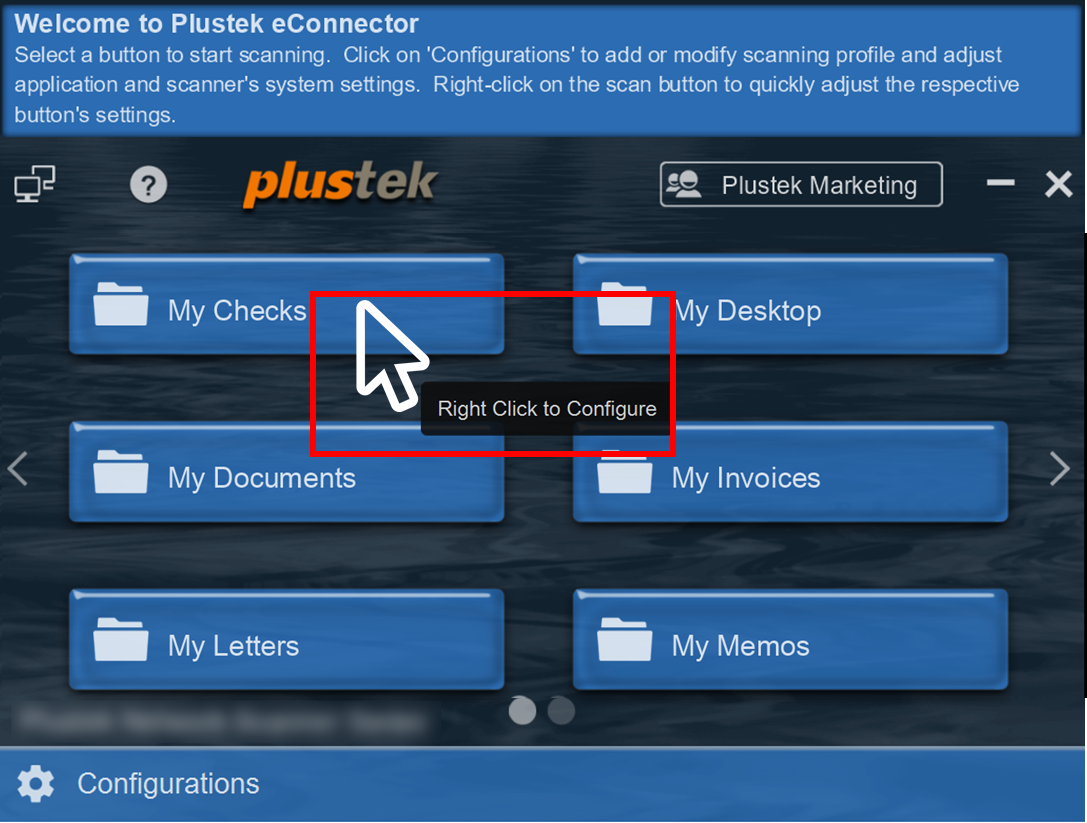
Right click on the job button you wish to make modification to.
 Click to enlarge image
×
Right click on the job button you wish to make modification to.
Click to enlarge image
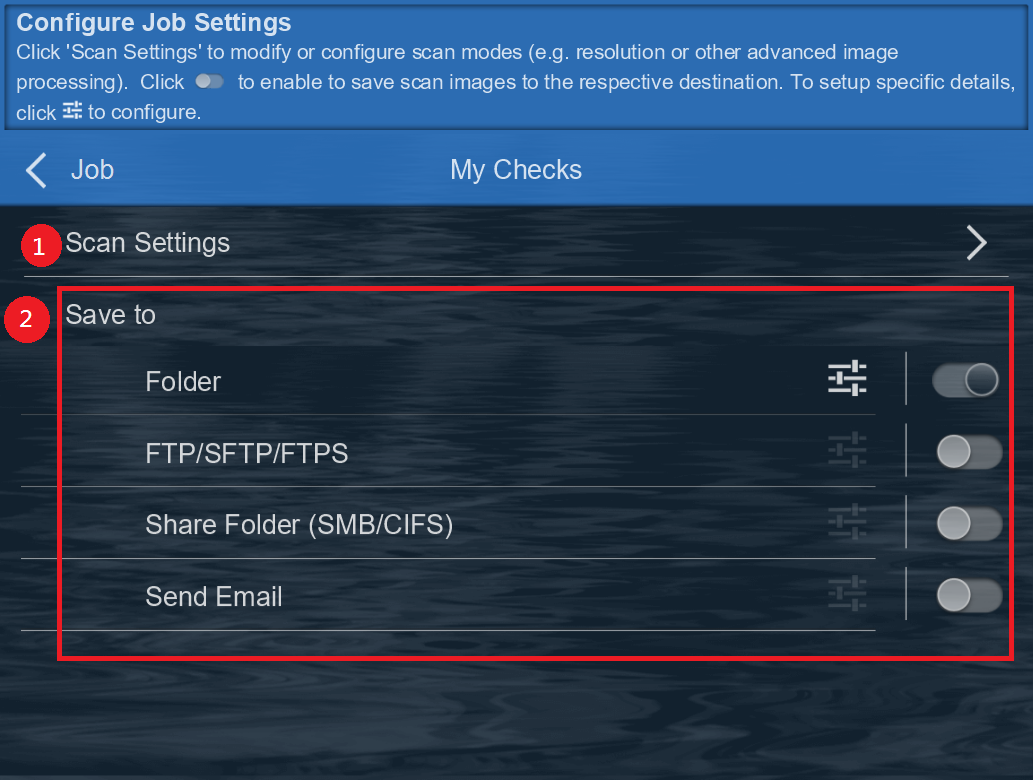
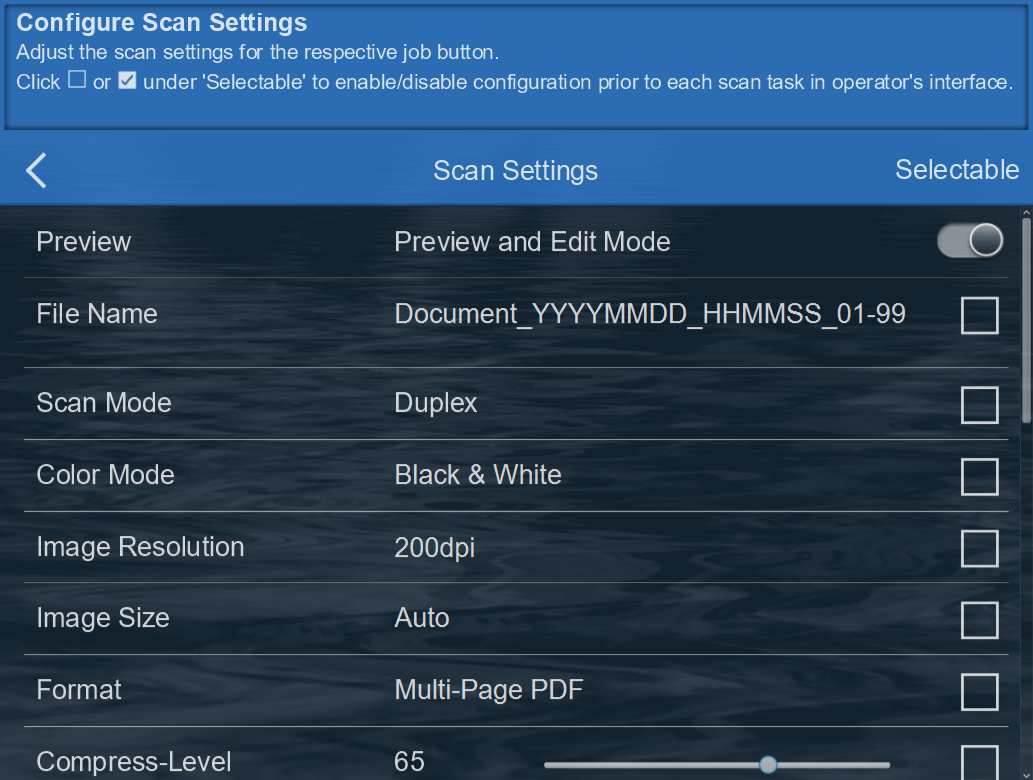
Click "Scan settings" (1)to configure scan parameter(e.g. resolution, simplex / duplex, format….)
And set "Save to"(2) to Save scanned documents by enabling and configuring the respective scan destination to continue
 Click to enlarge image
 Click to enlarge image
