
 Brazil
 Latin
America
Latin
America USA &
Canada
USA &
Canada Australia
 China
China India
India Indonesia
 Japan
Japan Korea
Korea Taiwan
 Vietnam
 Austria
 France
 Germany
 Italy
Italy Netherlands
 Other
Europe
Other
Europe Poland
 Russia & CIS
 Spain
Spain Switzerland
 United Kingdom
 Saudi Arabia
  Turkey
 Israel
 Click to enlarge image
×
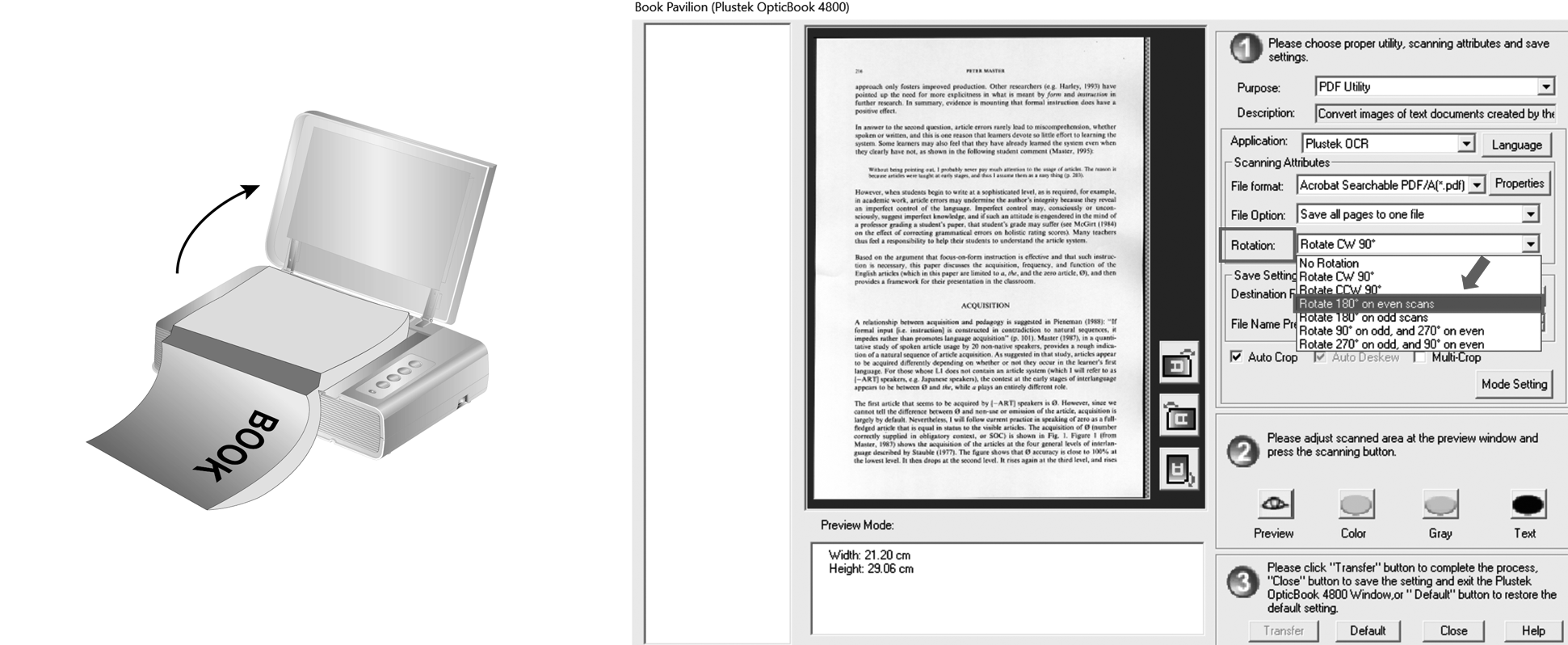
1. When the top of the page of the first scan is facing the scanner button, select Rotate 180° on even scans. Then you'll get all the images with same accurate direction.
Click to enlarge image
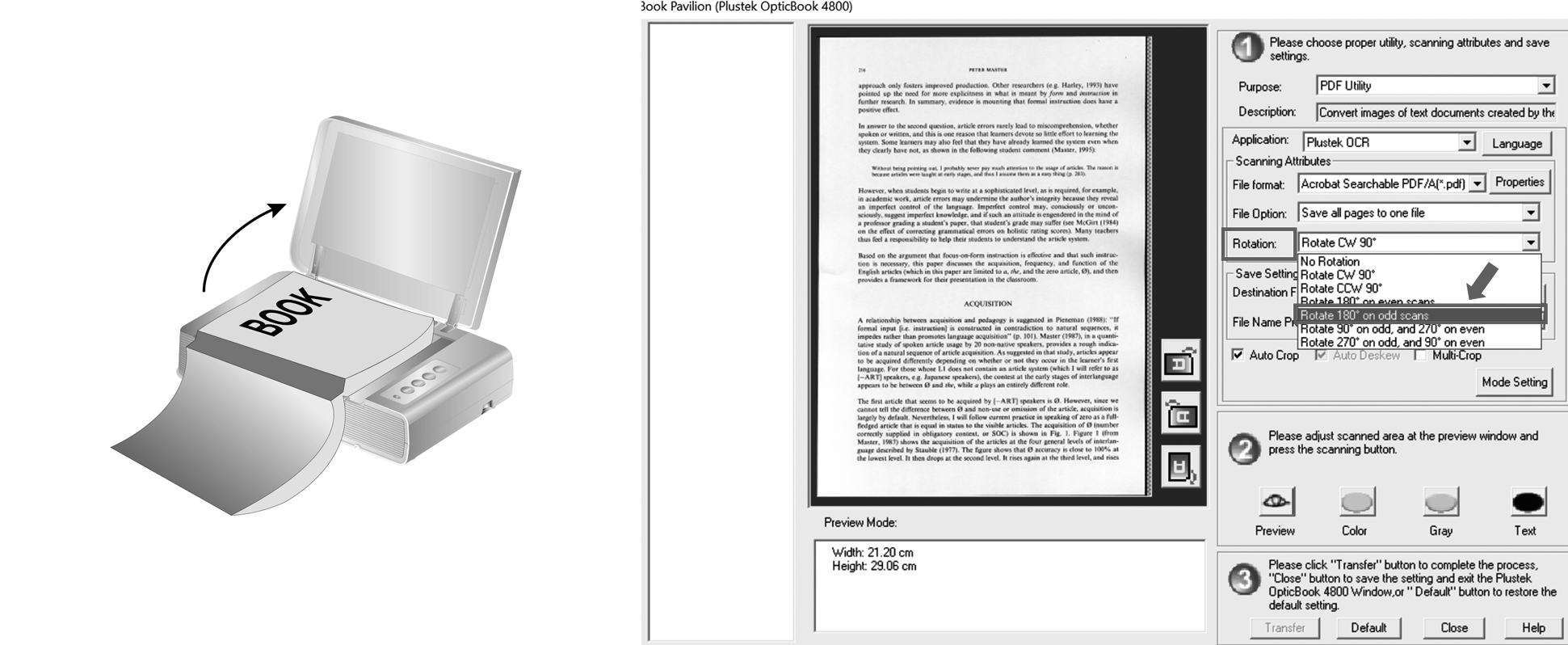
Depending on the direction of your first scan, you can choose different options to choose from the pull-down list.
2. When the bottom of the page of the first scan is facing the scanner button, select Rotate 180° on odd scans. Then you'll get all the images with accurate direction.
 Click to enlarge image
