
 Brazil
 Latin
America
Latin
America USA &
Canada
USA &
Canada Australia
 China
China India
India Indonesia
 Japan
Japan Korea
Korea Taiwan
 Vietnam
 Austria
 France
 Germany
 Italy
Italy Netherlands
 Other
Europe
Other
Europe Poland
 Russia & CIS
 Spain
Spain Switzerland
 United Kingdom
 Saudi Arabia
  Turkey
 Israel
 Click to enlarge image
×
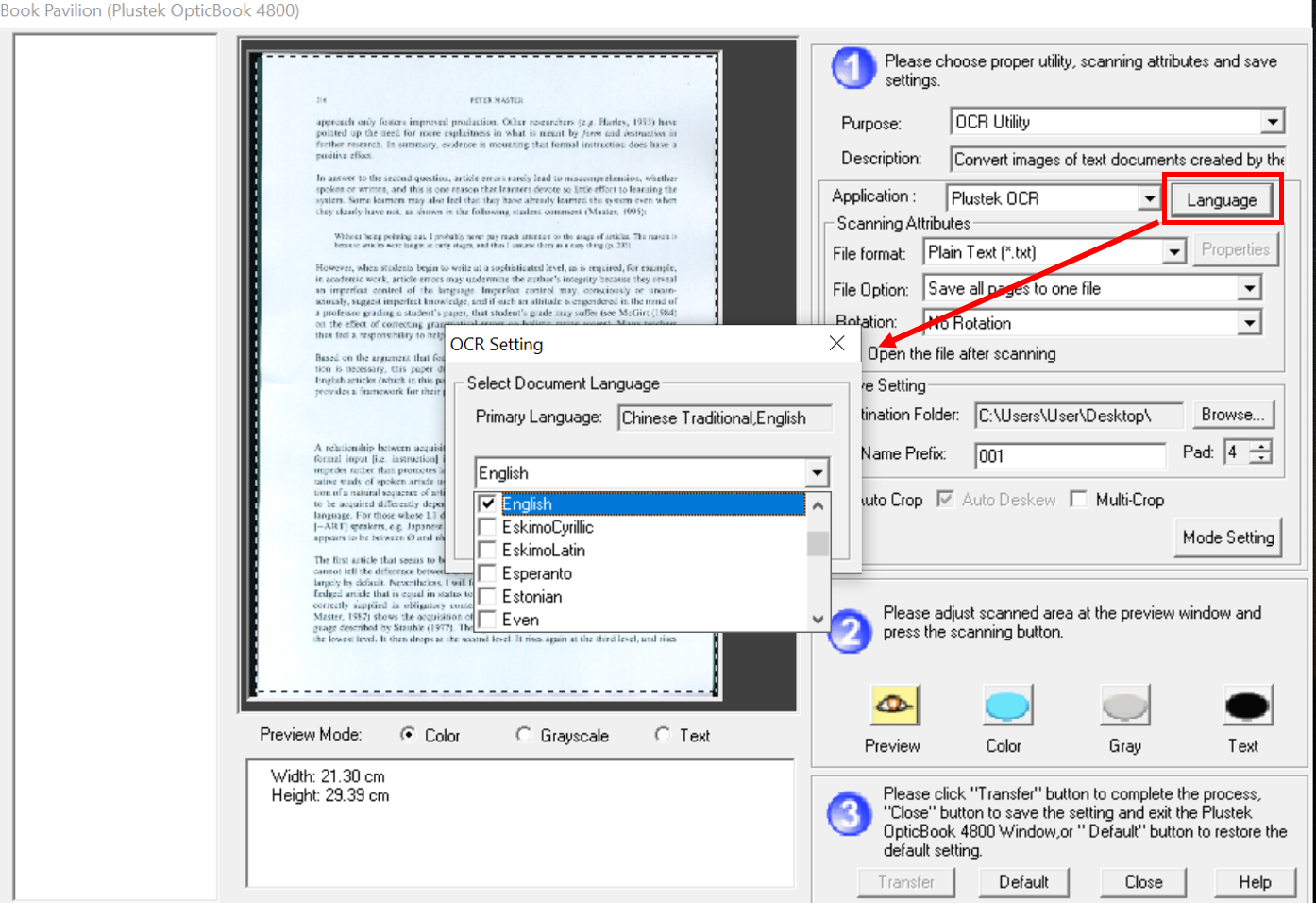
1. Choose your scan Purpose: OCR Utility.
2. Click "Language" button next to Application.
3. Start to choose your OCR languages.
Click to enlarge image
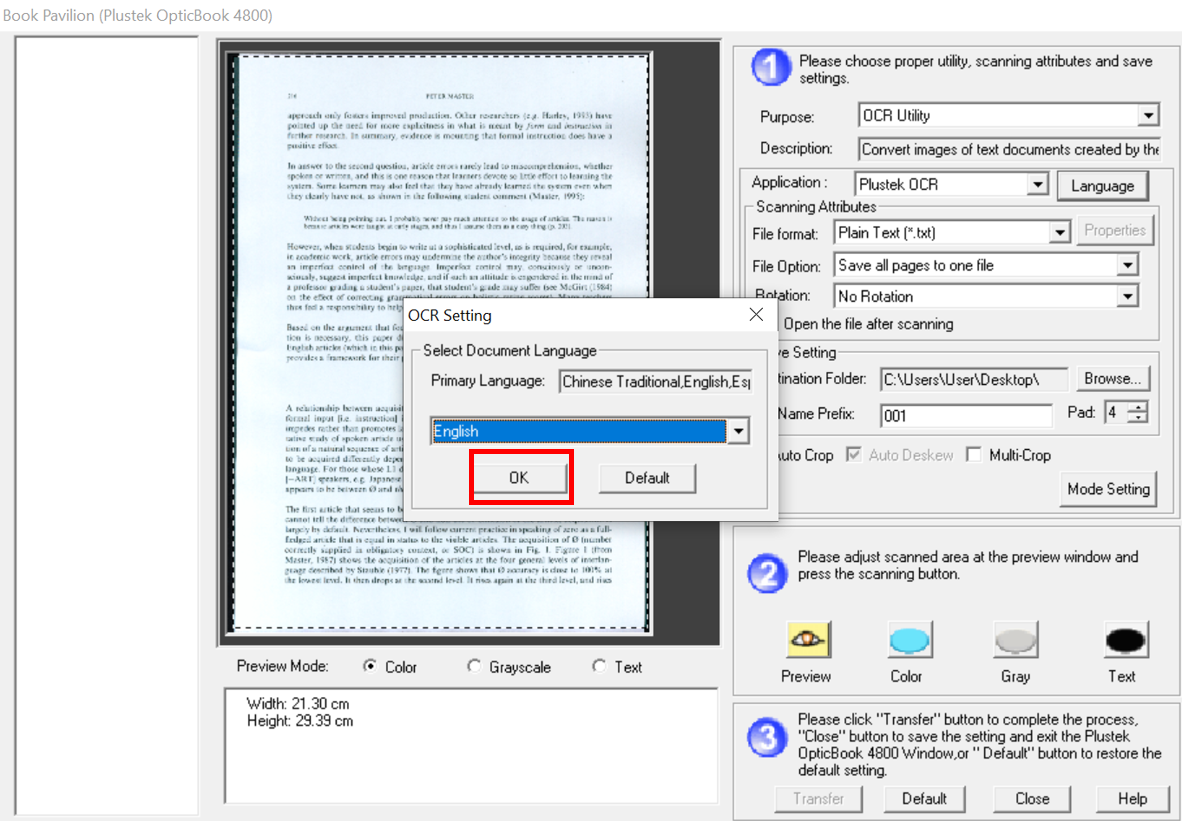
4. You can choose 5 languages at most then click OK.
 Click to enlarge image
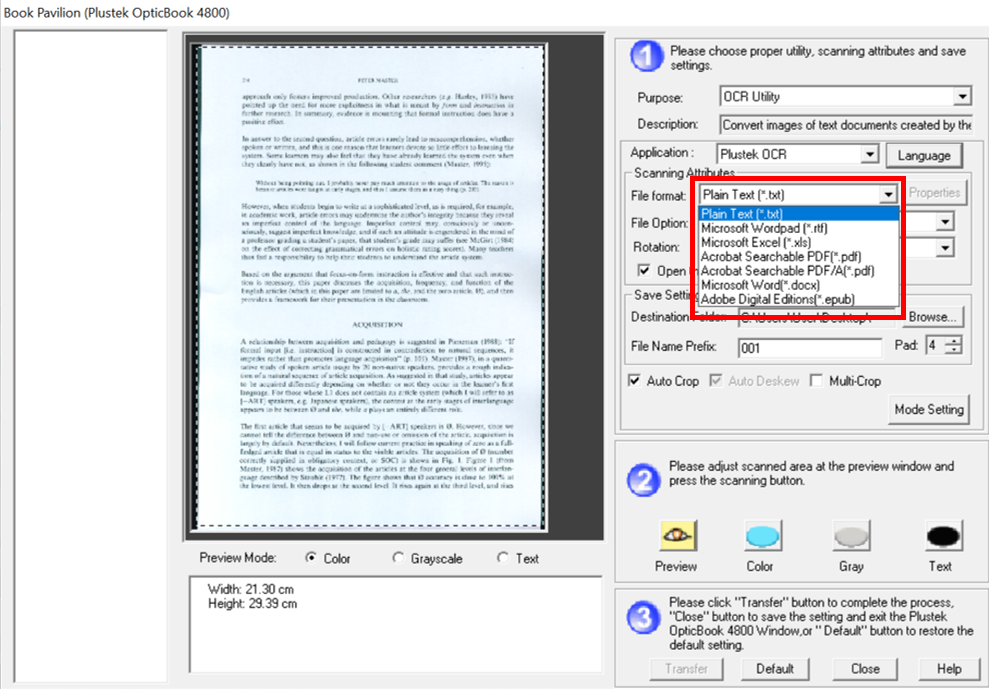
5. Choose File Format and File Option.
 Click to enlarge image
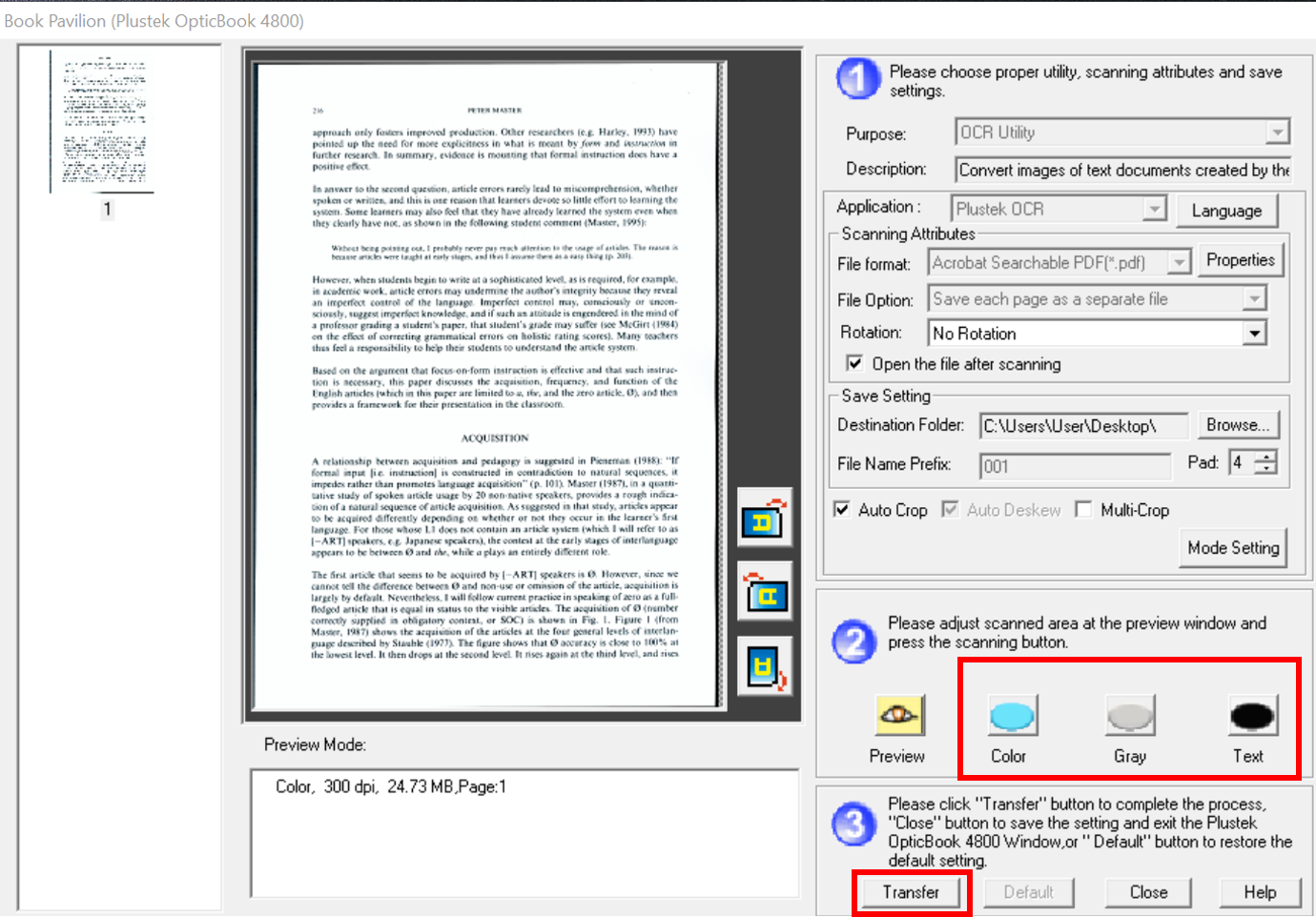
6. Please click Scan(Color, Gray, Text) button then click Transfer after scanning.
 Click to enlarge image
7. You can find your file at the selected folder.
